


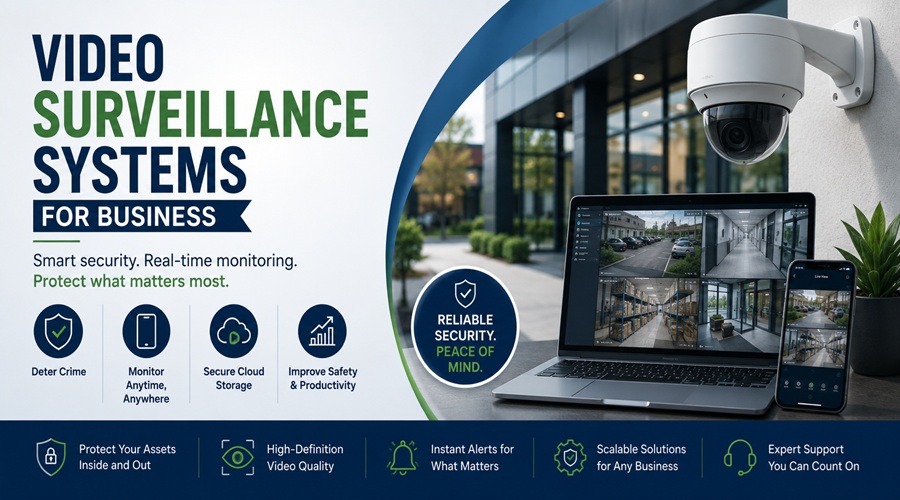
Most businesses buy surveillance cameras reactively. Something gets stolen, a dispute arises with no footage to resolve it, or an insurer asks about security measures before quoting a policy. The purchase that follows is usually rushed, based on limited information, and occasionally results in a system that looks capable but has practical limitations that only become apparent when the footage is actually needed.
A deliberate approach to business video surveillance starts with understanding what the system needs to accomplish, which determines everything that follows: camera type, resolution, storage method, network architecture, and the ongoing management the system requires to stay functional.
What Business Surveillance Systems Are Used For
The use cases for business video surveillance are more varied than the generic “security camera” framing suggests, and identifying which ones apply to your business shapes the system design meaningfully.
Theft deterrence and detection is the most obvious application. Visible cameras reduce opportunistic theft by employees and customers, and recorded footage provides evidence when theft occurs. The positioning, coverage area, and image quality required for this use case are different from cameras placed primarily for deterrence.
Liability and dispute resolution has become an increasingly important application as workplace injury claims, customer accident claims, and employment disputes have created legal contexts where surveillance footage either resolves disputes quickly or becomes critical evidence. Systems designed for this purpose need reliable storage with sufficient retention periods and the technical capability to export footage in formats admissible in legal proceedings.
Operational monitoring covers the range of business process applications where surveillance footage helps managers understand how operations are actually running. Queue lengths at service counters, workflow patterns in production environments, compliance with safety procedures, and staff deployment relative to customer traffic are all things that surveillance footage reveals with an accuracy that verbal reporting doesn’t match.
Remote monitoring allows business owners and managers to view live and recorded footage from locations they aren’t physically present in, which has particular value for multi-site businesses and owners who can’t be present at all times.
Access control integration connects surveillance cameras with door access systems so that entry events are automatically linked to footage from that moment, creating a correlated record of who accessed which areas and when.
Camera Types and When to Use Each
The camera hardware decision is driven by the environment and use case rather than by the most advanced technology available. Several distinct camera types serve different purposes.
Dome cameras have a compact, low-profile housing that makes the lens direction difficult to determine from a distance. They’re well-suited to indoor environments including retail floors, lobbies, offices, and corridors where they blend with the environment and provide wide coverage without being obtrusive. Vandal-resistant dome cameras with hardened housings are available for environments where tampering is a concern.
Bullet cameras have a cylindrical, directional housing that makes their coverage area obvious. This visibility serves a deterrence function that dome cameras don’t provide as clearly, and the longer lens options on bullet cameras make them appropriate for monitoring specific distant areas like parking lots, entrances, and perimeter boundaries. They’re typically rated for outdoor use and perform well in varying weather conditions.
PTZ cameras (pan, tilt, zoom) can be remotely controlled to change their viewing direction and zoom level. They’re used when active monitoring by security personnel is part of the operation, in environments where the area of interest changes over time, or as a complement to fixed cameras that cover specific static areas. PTZ cameras are more expensive than fixed cameras and require more management but provide coverage flexibility that fixed installations can’t match.
Fisheye cameras use an extremely wide-angle lens to provide 360-degree coverage from a single unit. They’re effective for large open spaces including warehouses, retail floors, and open-plan offices where the cost of multiple fixed cameras covering the same area would be higher. The tradeoff is that fisheye footage requires dewarping software to produce a usable view, and the resolution per viewing angle is lower than a dedicated camera pointed at the same area.
Hidden or covert cameras are used in specific circumstances where visible surveillance would interfere with the investigation purpose. Their use is subject to legal constraints that vary by jurisdiction and context, and deploying them in workplaces without appropriate disclosure creates legal exposure in many cases.
IP cameras transmit digital video over a network connection and are the current standard for business installations. They offer higher resolution than older analog systems, remote access capability, flexible storage options, and integration with video management software. Analog cameras with DVR recording remain in service in many businesses and continue to be sold for cost-sensitive applications, but IP systems have become the default for new installations.
Resolution: What You Actually Need
Camera resolution is specified in megapixels and determines how much detail is captured in the image. The resolution decision involves a genuine tradeoff between image quality, storage requirements, and cost.
1080p (2 megapixel) cameras are the current minimum practical standard for business surveillance. They provide sufficient detail for identifying individuals in environments with adequate lighting and appropriate camera positioning. For most indoor commercial applications where cameras are within 20 to 30 feet of the area being monitored, 1080p delivers useful footage.
4MP and 5MP cameras provide noticeably more detail than 1080p without the storage and bandwidth demands of 4K. They represent a practical middle ground for environments where the additional detail is valuable and the camera positions are fixed.
4K (8 megapixel) cameras capture the detail necessary to identify individuals and read text including license plates and signage at greater distances, in large open spaces, and in situations where footage will be zoomed and cropped for evidentiary purposes. The storage requirements for 4K footage are significantly higher than lower resolutions, and the bandwidth demands on the network infrastructure need to be planned for. For applications where image detail is critical, the additional cost and infrastructure investment is justified.
Wide dynamic range (WDR) capability is a specification that matters more than resolution in many practical installations. WDR allows a camera to handle environments where bright and dark areas coexist in the same frame, such as an entrance door with bright outdoor light and a darker interior. Without WDR, cameras in these environments produce footage where either the bright area is overexposed or the dark area is underexposed, often rendering both useless. For entrance and transition zone cameras, WDR capability is a more important specification than resolution.
Storage: Local, Cloud, and Hybrid
How surveillance footage is stored affects everything from the cost and complexity of the system to the resilience of the footage against tampering and theft.
NVR (Network Video Recorder) and DVR (Digital Video Recorder) systems store footage locally on hard drives within dedicated recording hardware. Local storage has the lowest ongoing cost once installed, keeps footage within the business’s physical control, and doesn’t depend on internet connectivity for recording. The limitation is that local storage is vulnerable to the same events it’s designed to document. A theft that includes the NVR loses the footage of the theft. A fire destroys both the cameras and the recordings.
Cloud storage transmits footage to remote servers maintained by the camera system provider or a third-party storage service. Cloud storage provides off-site resilience that local storage doesn’t, makes footage accessible from anywhere with an internet connection, and eliminates the hardware management burden of local storage. The ongoing subscription costs accumulate over time and the storage bandwidth requires adequate internet connectivity. For businesses with multiple sites, cloud storage simplifies central management considerably.
Hybrid systems combine local and cloud storage, recording locally for immediate access and resilience against internet outages while also copying footage to the cloud for off-site protection. Most modern enterprise-oriented systems offer hybrid storage as a standard configuration option.
Retention period requirements vary by use case. A business that primarily wants theft deterrence and basic incident documentation might retain footage for 30 days. A business with liability exposure, regulatory requirements, or active security concerns might retain footage for 90 days or longer. Storage capacity planning needs to account for the number of cameras, the resolution, the recording schedule, and the retention period simultaneously.
Network Considerations
IP camera systems share the business network infrastructure and introduce specific considerations that affect both the surveillance system’s performance and the broader network security.
Camera bandwidth consumption accumulates across all cameras simultaneously. A system with twenty 4K cameras recording continuously generates substantial network traffic that can degrade other network services if the infrastructure isn’t sized to accommodate it. Dedicated network infrastructure for the surveillance system, physically or through network segmentation using VLANs, isolates camera traffic from business traffic and improves both performance and security.
IP cameras are network-connected devices that represent potential security vulnerabilities if not properly managed. Default credentials that haven’t been changed, unpatched firmware, and cameras exposed directly to the internet without proper access controls have all been exploited by attackers to compromise surveillance systems and use cameras as entry points into the broader business network. Changing default passwords on every camera, keeping firmware updated, and placing cameras on a network segment isolated from business systems are basic practices that most small business installations skip and most security consultants recommend.
Power over Ethernet (PoE) technology allows cameras to receive both power and network connectivity through a single ethernet cable, eliminating the need for separate power wiring to each camera location. PoE switches that supply power to cameras simplify installation considerably and reduce cabling costs, particularly in installations where power outlets at camera positions would otherwise require electrical work.
Video Management Software
The software that manages recording, storage, playback, and camera control determines how usable the system is in practice. Camera hardware and video management software are increasingly bundled together in integrated systems, but they remain distinct components with different quality levels.
Basic NVR software handles recording and playback adequately for straightforward applications. Motion-triggered recording reduces storage consumption and makes reviewing footage more efficient by eliminating hours of empty footage. Alert notifications based on motion detection in defined zones provide real-time awareness without requiring continuous monitoring.
Advanced video management platforms add features relevant to larger or more complex installations including analytics that detect specific events such as perimeter crossing, crowd formation, and object removal, integration with access control and alarm systems, multi-site management from a single interface, and search functionality that finds relevant footage based on time, location, and event type rather than manual review.
AI-enhanced analytics including facial recognition, license plate recognition, and behavioral analysis have moved from enterprise-only features to options available in mid-market systems. Their use is subject to legal constraints that vary significantly by jurisdiction, with GDPR in Europe and state-level biometric privacy laws in the US creating compliance requirements that businesses need to understand before deployment.
Installation: DIY vs. Professional
The decision between self-installation and professional installation depends on the complexity of the system, the existing network infrastructure, and whether the installation quality needs to meet insurance or compliance requirements.
Small systems of four to eight cameras with straightforward cabling routes and adequate existing network infrastructure are within the capability of technically competent business owners using current-generation IP camera systems. Manufacturers including Ubiquiti, Reolink, and Hikvision produce systems with installation documentation and support resources designed for non-specialist installers.
Larger systems, installations requiring cable routing through complex building structures, integrations with access control or alarm systems, and deployments where footage quality and system reliability need to meet defined standards typically benefit from professional installation. A poorly installed camera system with blind spots, cable runs that interfere with other building systems, or network configuration that creates security vulnerabilities is worse than no system in several respects.
Security system integrators who specialize in commercial installations bring camera positioning expertise, network configuration knowledge, and ongoing service capability that single-vendor product purchases don’t include. For businesses with complex requirements or where system reliability is critical, the additional cost of professional installation is typically justified.
Legal and Privacy Considerations
Business video surveillance operates within a legal framework that varies by jurisdiction and context. Understanding the applicable requirements before installation avoids compliance exposure that surveillance footage is designed to help the business avoid.
Workplace surveillance of employees is subject to varying legal standards. In the US, federal law generally permits workplace surveillance with few restrictions, but several states impose notification requirements and restrict monitoring in specific areas including restrooms, changing areas, and break rooms. In the UK, GDPR requires that workplace surveillance be proportionate to its purpose, that employees be informed of surveillance through workplace privacy policies, and that data retention periods be justified and documented.
Customer-facing surveillance in public or semi-public areas including retail floors, entrances, and parking lots generally operates within wider legal latitude than employee monitoring, but signage notifying customers of surveillance is required or strongly recommended in most jurisdictions.
Audio recording through surveillance systems is subject to stricter legal standards than video recording in most jurisdictions, particularly in US states with two-party consent requirements for recorded conversations. Surveillance systems with microphone capability should have audio recording disabled unless specific legal advice confirms its use is compliant in the deployment jurisdiction.
The Security Industry Association publishes guidance on commercial surveillance standards, privacy best practices for business surveillance deployments, and industry frameworks for responsible use of surveillance technology, making it the most credible industry reference for businesses navigating the intersection of surveillance capability and legal compliance.
What a Practical Small Business System Looks Like
For a typical small business retail location, office, or light industrial environment, a practical starting configuration involves four to eight cameras covering primary entrances and exits, the main customer or operational floor area, cash handling or high-value storage areas, and the parking or external perimeter where relevant.
A hybrid storage NVR with 30 to 90 days retention capacity handles the recording and local access requirements. PoE networking through a dedicated switch simplifies installation and keeps camera traffic separated from business network traffic. Remote access through the manufacturer’s mobile application or cloud platform provides monitoring capability away from the premises.
Total hardware costs for a basic system of this type run between $800 and $3,000 depending on camera quality and storage capacity. Professional installation adds $500 to $2,000 depending on cable routing complexity. Cloud storage subscription costs, where applicable, typically run $10 to $30 per camera per month.
The systems that fail businesses when actually needed are almost always ones where camera positioning left critical areas uncovered, where storage capacity was insufficient for the retention period required, or where the recording schedule missed the relevant event because motion detection was misconfigured. Getting the fundamentals of coverage, storage, and configuration right matters more than the specific brand or technology generation selected.